
For Alteryx Designer and Server
The hard part of your workflows, done.
Fifteen tools that sit in Designer's palette like any other: reports that look finished, data you can trust, and fast connections to the systems around you.
- Designer 2026.1 and 2025.1
- Alteryx Server
- 8 languages
- 15-day free trial
The suite
Fifteen tools, five families
Excel
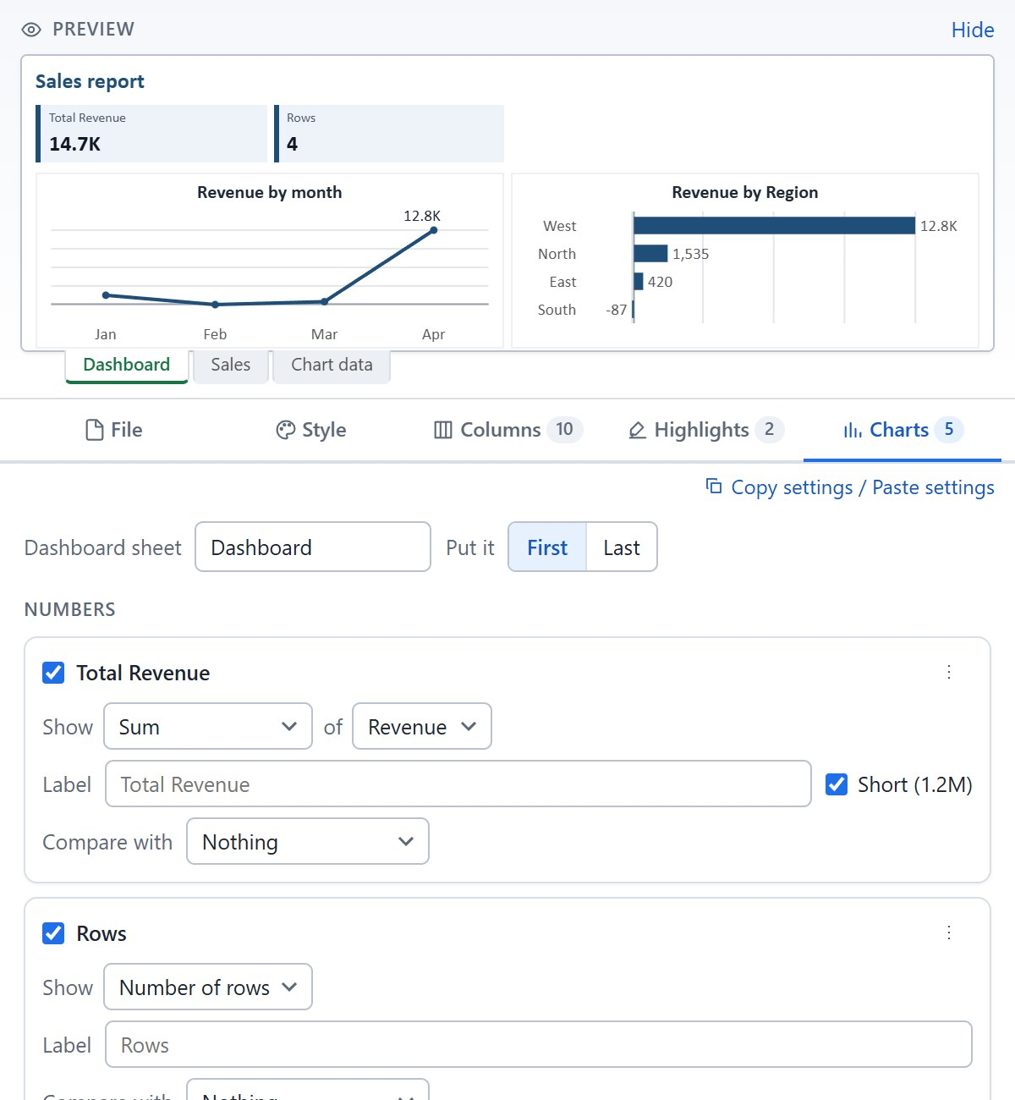
 Excel FormatterFinished, branded Excel reports with templates, live formulas and dashboards.
 Excel ReaderReads workbooks even while they're open in Excel, and finds the header row for you.
 Business DaysWORKDAY and NETWORKDAYS with real public holidays for about 250 countries and regions.
Matching and data quality
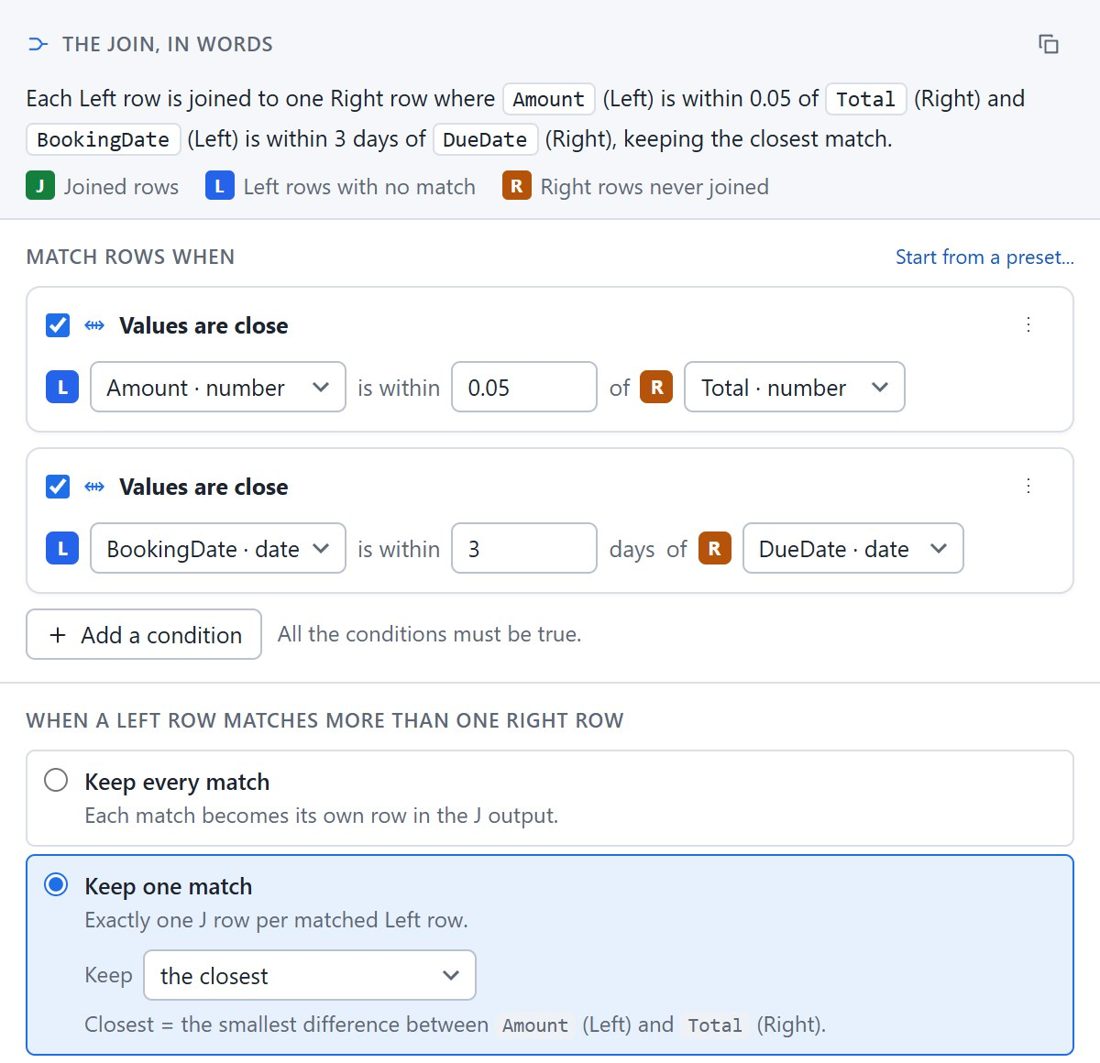
 Smart JoinClock-ins to shifts, payments to invoices, names spelled differently.
 Smart DedupeFinds the same customer or company written differently, and keeps one.
 Smart ValidateRule checks with check digits, a report, and a stop when the data fails.
 Data DiffReconciles two versions of a dataset, value by value.
Connectivity
 Snowflake InputInstant browsing, a visual query builder, SQL, procedures, JSON and XML.
 Snowflake OutputBulk loads set up for you: stages, Parquet, upsert, replace and more.
 Smart APIREST, GraphQL and SOAP APIs as rows, from a cURL, Postman or OpenAPI file.
 NotifierPosts a run summary to Microsoft Teams, Slack or any webhook.
AI and privacy
 AI Row ProcessorClassify, extract, summarise and translate each row with the AI provider you choose.
 PII MaskerFinds and masks personal data offline, with names in seven languages.
 Document ReaderText and tables from PDFs, scans and photos, with OCR that runs offline.
Workflow productivity
 Workflow DiffEvery change between two workflow versions, in words and side by side.
Why Marval
Built for the people who build the workflows
Native to Designer
Drag from the palette, connect, run. Every panel opens with a sentence that says in plain words what the tool will do.
Eight languages
Each tool follows Designer's language: English, Spanish, French, German, Italian, Portuguese (Brazil), Japanese and Chinese.
Secure by design
Compiled code, signed files, credentials encrypted for the Windows user or kept in Data Connection Manager, secrets kept out of results and logs.
Nothing else to install
Everything ships inside the packages: no Python packages to install. Nothing goes online except licence activation and the services you set a tool to call.
Ready for Server
Scheduled and Server runs are licensed per machine. Sign-ins such as Snowflake OAuth renew themselves with nobody present.
Tested hard
More than 2,000 automated tests, checks in Designer's own engine, in real Excel and against a live Snowflake account.
Measured, not promised
Fast where it counts
Measured by Marval Analytics on test data and a Snowflake X-Small warehouse, October 2026. Results depend on hardware, network and data.
Licensing
One licence, the whole suite
Each licence unlocks every tool. Each run decides for itself whether it needs a Designer or a Server licence.
Designer
Runs a person starts in Designer. Seats can be moved to another computer by self-service.
Server
Unattended runs: Alteryx Server, the scheduler, the command line.
Free trial
The full suite, every feature. Starts on the first run, per Designer seat and per server.
Pricing on request, by number of Designer seats and Server machines.
Getting started
From trial to your own licence
- 1
Request a trial
Fill in the short request form: you receive the package, and every tool is free for 15 days.
- 2
Talk to us
We look at your workflows with you and answer your team's questions.
- 3
Early access
We are welcoming a first group of companies. Ask us about joining it.
- 4
Activate once
Enter your key in any tool's licence line. It then works offline and renews itself.